To update a loan that is currently set to Interest-Only calculation method to the Principal & Interest (P&I) calculation method, you will follow these steps:
- Launch Tool # 20: Update Account Information
- Enter the account base
- Click the forward arrow
- Select the desired loan account from the list
- Click ‘Select’
- On the Account Information Update screen, update the following fields:
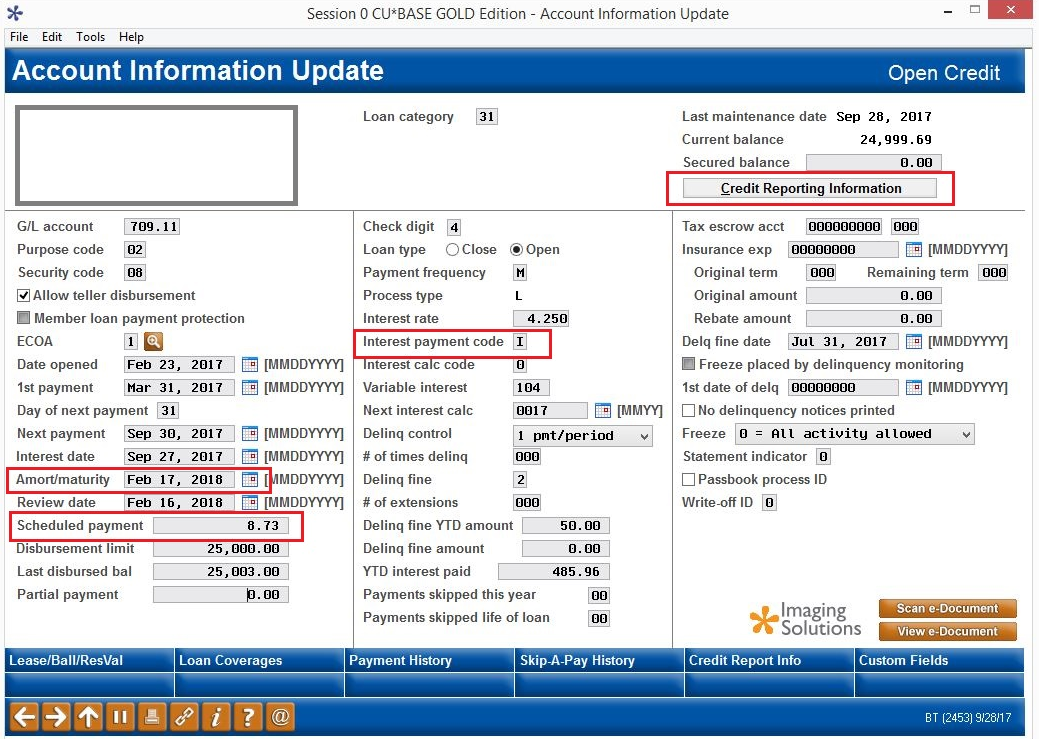
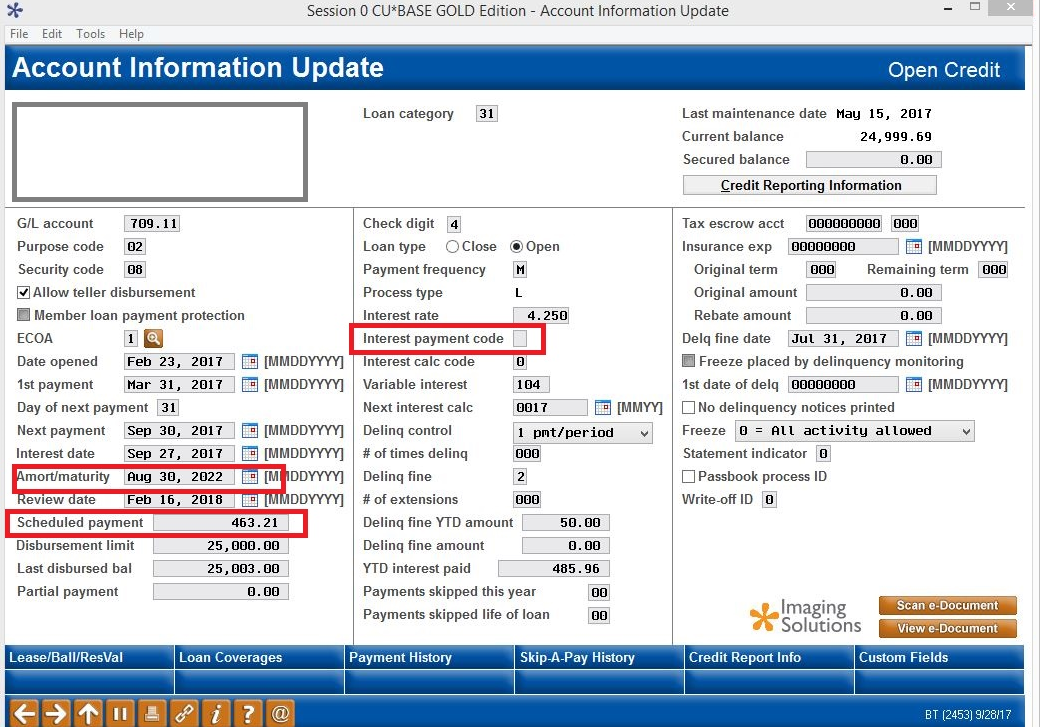
- Amort/maturity date (located in the first column)
- Scheduled payment (located in the first column)
- Interest payment code (located in the second column) – remove the ‘I’ and leave the field blank (blank = quoted payment includes both principal and interest)
- Click the Credit Reporting Information tab (located in the top right corner) and update the following fields:
- Credit bureau comments field - Lending staff will need to make the determination as to the correct credit bureau comment code, but it is most likely to be ‘CJ’
- Click here for a list of Credit Bureau Comment Codes
- Status field – select the appropriate status code
- Click here for a list of Credit Bureau Status Codes
- Click ‘Add/Update’ to save and return to the Account Information Update screen
- On the Account Information Update screen, click the forward arrow to save and return to the Existing Account Maintenance screen
- Credit bureau comments field - Lending staff will need to make the determination as to the correct credit bureau comment code, but it is most likely to be ‘CJ’
Additionally, you can use Tool # 81: Loan Quoter to calculate the new P & I payment amount, using the current rate, current balance, date of last payment as disbursement date, and number of payments remaining for the repayment period.
Example of loan before changes:
Example of loan after changes:
Comments
0 comments
Article is closed for comments.