To update a loan to a stepdown product you will follow these steps:
- Launch Tool # 20: Update Account Information
- Enter the account base
- Click the forward arrow
- Select the desired loan account from the list
- Click ‘Select’
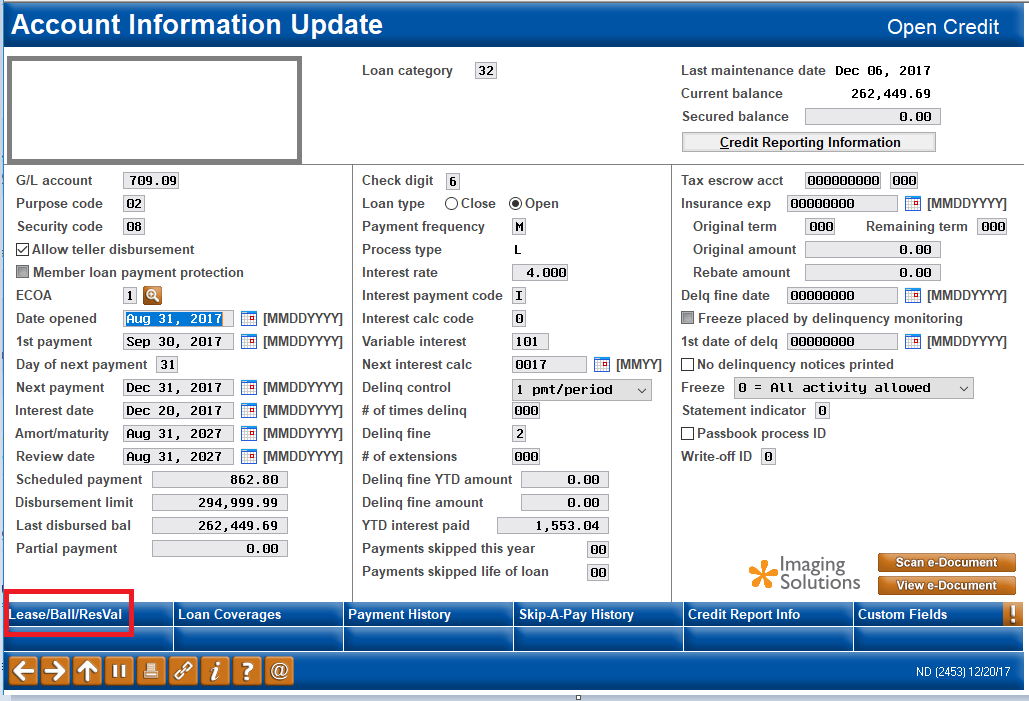
- On the Account Information Update screen, click the ‘Lease/Ball/ResVal’ tab
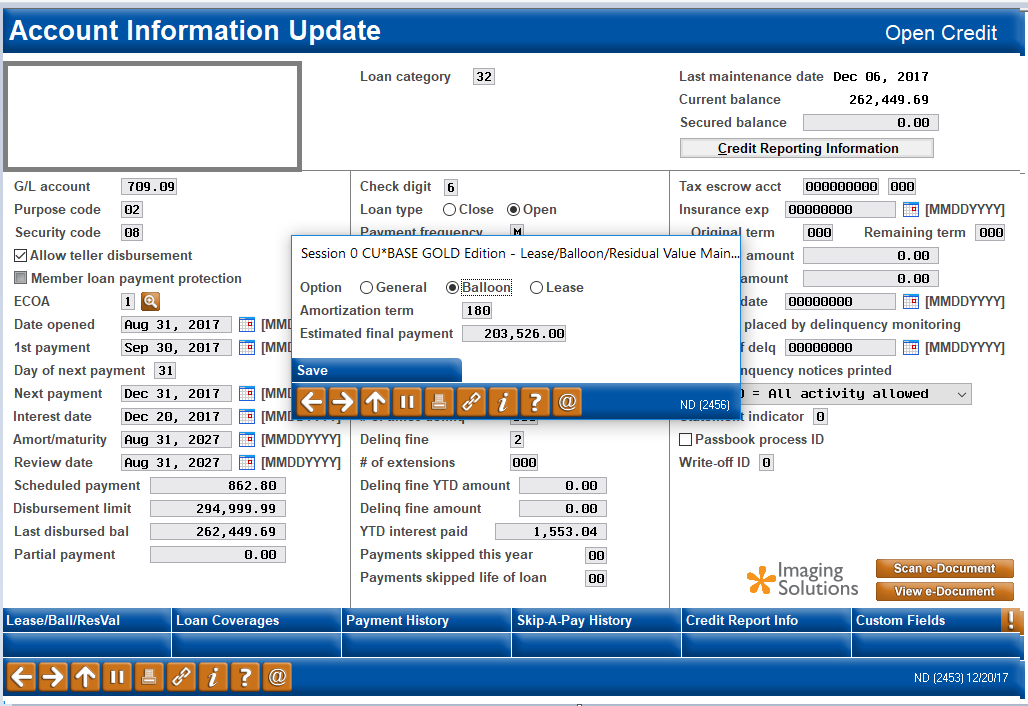
- On the Lease/Balloon/Residual Value Maintenance screen, select ‘Balloon’
- Update the following fields to reflect the desired stepdown product information:
- Amortization term
- Estimated final payment
- Click ‘Save’
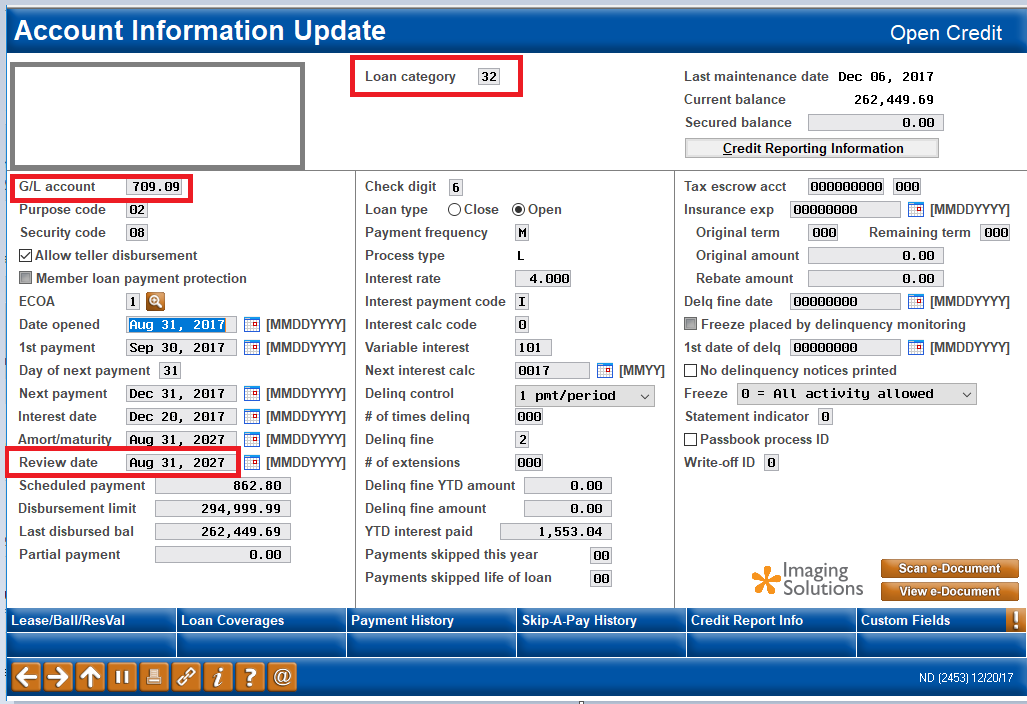
- On the Account Information Update screen, update the following fields:
- Loan Category (located at the top in the middle) - change the current loan category to a category that is set up to use the stepdown feature
- G/L account: Input the proper G/L account number
- Review date (located in the first column): Ensure the review date is in the future if you wish for the borrower to draw on the LOC
- Click the forward arrow to save and return to the Existing Account Maintenance screen
Screenshots of loan maintenance:
Comments
0 comments
Article is closed for comments.